** read.php
게시글 조회 페이지에 수정 버튼을 추가한다
<div class="read_btn">
<button class="read_btn1" onclick="location.href='list.php'">목록</button>
<button class="read_btn1" onclick="location.href='modify.php?idx=<?= $idx ?>&name=<?= $_SESSION['name'] ?>'">수정</button>
</div>
** modify.php
게시글 수정 페이지
<!DOCTYPE html>
<html>
<head>
    <meta charset='utf-8'>
    <style>
        table.table2 {
            border-collapse: separate;
            border-spacing: 1px;
            text-align: left;
            line-height: 1.5;
            border-top: 1px solid #ccc;
            margin: 20px 10px;
        }

        table.table2 tr {
            width: 50px;
            padding: 10px;
            font-weight: bold;
            vertical-align: top;
            border-bottom: 1px solid #ccc;
        }

        table.table2 td {
            width: 100px;
            padding: 10px;
            vertical-align: top;
            border-bottom: 1px solid #ccc;
        }
    </style>
</head>

<body>
    <?php
    $connect = mysqli_connect('localhost', 'root', 'mysql', 'board');
    $idx = $_GET['idx'];
    $query = "select name, title, content, udate, hit, liked from board where idx = $idx";
    $result = $connect->query($query);
    $rows = mysqli_fetch_assoc($result);

    $title = $rows['title'];
    $content=$rows['content'];
    $name=$rows['name'];

    session_start();

    $url ="list.php";

    if (!isset($_SESSION['username'])) { //비회원이 수정 접근 시
    ?> <script>
            alert("비회원입니다.");
            location.replace("<?php echo $url ?>");
        </script>
    <?php   } else if($_SESSION['name'] == $name) { //해당 게시글 작성자가 수정 접근 시
    ?>
        <form method="POST" action="modify_ok.php">
            <table style="padding-top:50px" align=center width=auto border=0 cellpadding=2>
                <tr>
                    <td style="height:40; float:center; background-color:rgb(179, 170, 197);">
                        <p style="font-size:25px; text-align:center; color:white; margin-top:15px; margin-bottom:15px"><b>게시글 수정하기</b></p>
                    </td>
                </tr>
                <tr>
                    <td bgcolor=white>
                        <table class="table2">
                            <tr>
                                <td>제목</td>
                                <td><input type=text name=title size=60 value="<?=$title?>"></td>
                            </tr>

                            <tr>
                                <td>내용</td>
                                <td><textarea name=content cols=50 rows=15><?=$content?></textarea></td>
                            </tr>
                        </table>
                        <center>
                            <input type="hidden" name="idx" value="<?=$idx?>">
                            <input style="height:26px; width:47px; font-size:16px;" type="submit" value="작성">
                        </center>
                    </td>
                </tr>
            </table>
        </form>
         <?php   } else { //타 회원이 수정 접근 시
    ?> <script>
            alert("권한이 없습니다.");
            location.replace("<?php echo $url ?>");
        </script>
    <?php   }
    ?></body>
</html>
** modify_ok.php
post 방식으로 modify_ok.php에 데이터를 전송해 DB에 수정사항을 업데이트한다
<?php
    $connect = mysqli_connect('localhost', 'root', 'mysql', 'board');

    $idx = $_POST['idx'];
    $title = $_POST['title'];
    $content = $_POST['content'];

    $query = "update board set title='$title', content='$content', udate=now() where idx='$idx'";
    $result = $connect->query($query);
    if ($result) {
    ?>
        <script>
            alert("수정되었습니다.");
            location.replace("read.php?idx=<?=$idx?>");
        </script>
    <?php } else {
        echo "다시 시도해주세요.";
    }
?>
** 구현
관리자 계정으로 로그인 → 관리자 글 수정

수정 페이지

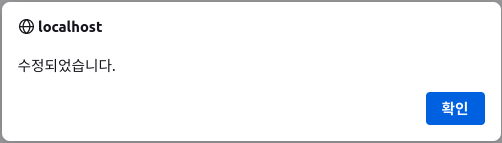
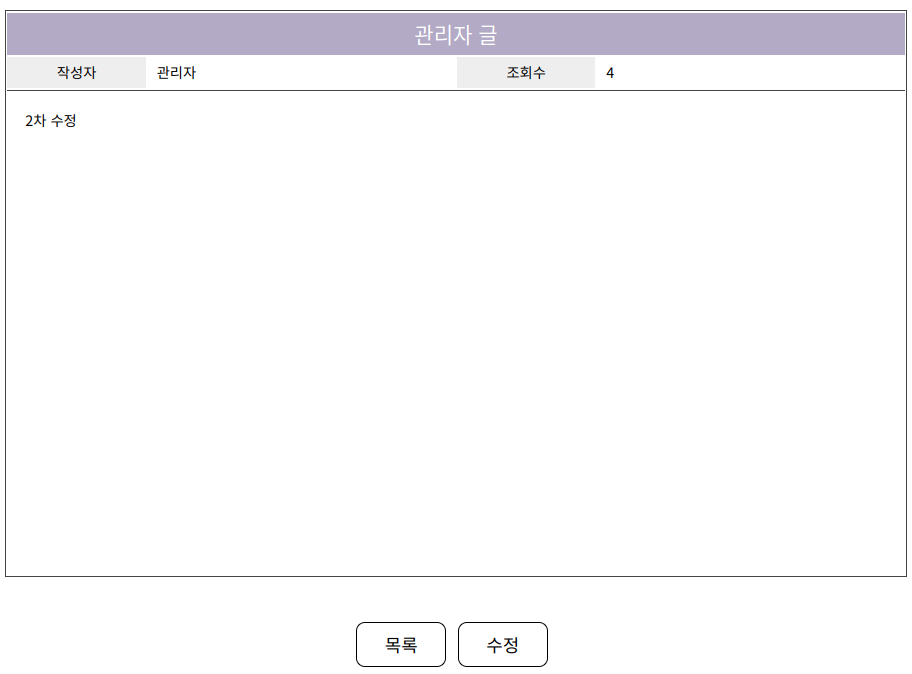
수정 완료
boeun 계정으로 관리자 글 수정 시도


'Web Hacking Study > Web Page 만들기' 카테고리의 다른 글
| 게시판 페이지 개발 (게시글 페이징) (0) | 2022.06.05 |
|---|---|
| 게시판 페이지 개발 (게시글 삭제 기능) (0) | 2022.05.30 |
| 게시판 페이지 개발 (게시글 보기, 게시글 조회수 기능) (0) | 2022.05.26 |
| 게시판 페이지 개발 (게시글 작성 기능) (0) | 2022.05.18 |
| 게시판 페이지 개발 (게시글 리스트 출력) (0) | 2022.05.18 |


댓글